

LED displays inevitably experience malfunctions during use. Once a malfunction occurs, the display will not function properly, impacting business efficiency. Regular maintenance of LED screens can significantly reduce losses caused by malfunctions.
An LED display is composed of individual LED modules. Its basic structure consists of the display surface (lamp surface), PCB (circuit board), and control surface (IC component surface). Speaking of LED display repair tips, let's first discuss common malfunctions. Common malfunctions include: partial "dead LEDs," "caterpillar-like" LEDs, partial color block loss, partial black screen, large-area black screen, partial garbled text, etc. So how do you repair these common minor malfunctions? First, prepare the necessary repair tools. The five essential tools for an LED display repairman are: tweezers, hot air gun, soldering iron, multimeter, and test cards; other auxiliary materials include: solder paste (solder wire), soldering accelerator, copper wire, and glue.
Common problems include:
1. Interface issues. If computer information cannot be displayed, try checking the cable first
2. Power supply issue. LED displays use a low-voltage, high-current power supply, not much different from a regular DC power supply.
3. Driver issue. If no row or column displays anything, it indicates a problem with the corresponding driver circuit (chip). Replacing the chip will solve the problem.
4. Display issue. Prolonged use of LED displays may cause damage and aging, requiring repair or replacement.
Common LED screen repair faults include:
1. Partial "Dead Lamp" Problem
Partial "dead lamp" refers to one or more LEDs on the LED display screen not lighting up. This can be divided into complete non-lighting and partial color non-lighting. Generally, this is due to a problem with the lamp itself, such as moisture damage or a damaged RGB chip. The repair method is simple: replace it with a spare LED provided by the factory. The tools used include tweezers and a heat gun. After replacing with the spare LED, it needs to be tested again with a test card. If there are no problems, the repair is complete.
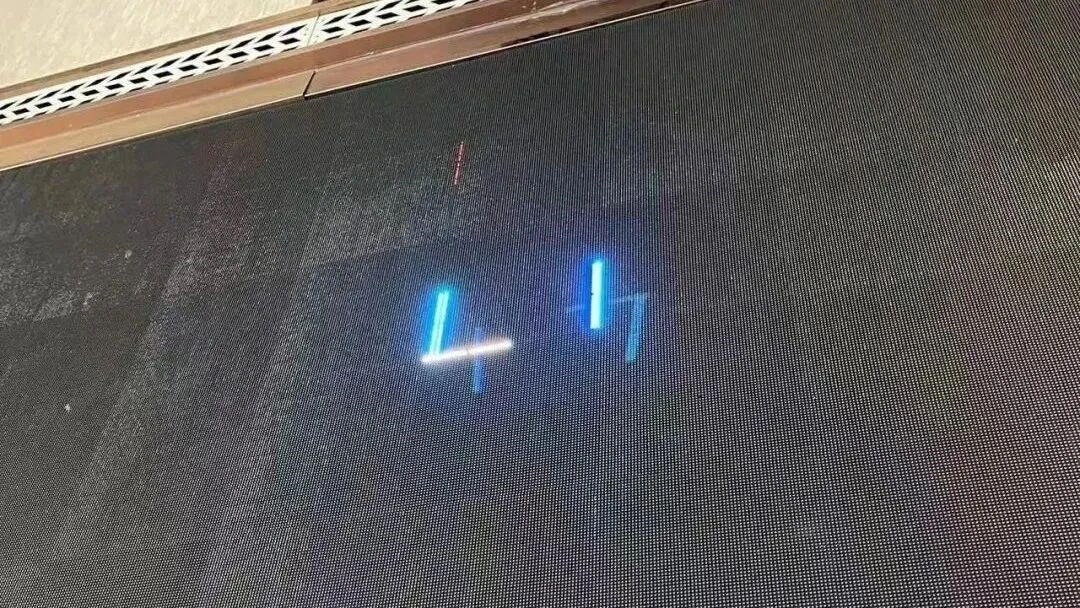
2. LED Large Screen Repair: The "Caterpillar" Problem The "caterpillar" problem is a metaphorical term referring to the phenomenon where a long, dark, bright stripe appears on some LED surfaces when the LED display is powered on but has no input source. This stripe is often red. The root cause is either a leaking chip inside the LED or a short circuit in the horizontal output transistor (HIP) circuit on the back of the display, with the former being more common. In general, you can use a heat gun to blow hot air along the discolored "caterpillar" of the leaking LED. Once the heat reaches the problematic LED, the problem is usually solved because the heat causes the leaking chip connection to open. However, a potential hazard still exists. Simply locate the leaking LED and replace it using the method described above. If the short circuit is in the HIP circuit on the back of the display, you will need to use a multimeter to measure the relevant IC pins and replace the IC with a new one.
3. LED Large Screen Repair: Partial Color Block Missing This type of fault is relatively common. When the LED display screen is playing normally, a small square of an off-color block appears. This problem is usually caused by the IC controlling the color of that block burning out. The solution is to replace it with a new IC.
4. LED Large Screen Repair: Partial and Large-Area Black Screens A black screen refers to the phenomenon where one or more LED modules are completely dark during normal LED display playback. A few dark LED modules are called partial black screens, while a larger area is called a large-area black screen. When this occurs, the first thing to consider is the power supply. Check if the LED power indicator light is working properly. If the indicator light is not on, the power supply is likely faulty; replacing it with a power supply of the corresponding wattage will solve the problem. Also check if the power cable of the LED module corresponding to the black screen is loose; often, simply retightening the cable can resolve this type of black screen issue.
5. LED Large Screen Repair: Partial Garbled Characters This type of fault is more complex. It refers to the appearance of messy, irregular, and possibly randomly flickering color blocks in localized areas of the LED display during playback. To resolve this issue, first check the signal cable connections. Check if the ribbon cable is burnt out, the network cable is loose, etc. In repair practice, it has been found that aluminum-magnesium wire ribbon cables are prone to burnout, while pure copper ribbon cables have a longer lifespan. If the entire signal connection is checked and found to be working properly, then swapping the problematic LED module with a nearby normally functioning module can basically determine whether the LED module corresponding to the abnormal playback area is damaged. The cause of the damage is often an IC problem, which is relatively complicated to repair and requires consultation with professional LED screen repair personnel.