

If you’ve ever stood in a conference room where a projection screen washed out mid-presentation, or struggled to read tiny text from the back row of a crowded classroom, you know how much a display can make or break a presentation. As someone who’s worked in the HD LED display industry for over a decade—first as a technician troubleshooting installs, now as a supplier helping clients pick the right gear—I’ve seen too many presentations fall flat because teams skipped over the key requirements for using an HD LED display. They grab the cheapest panel, assume it’ll work, and end up frustrated when text blurs from across the room or colors look off under overhead lights. Let’s break down what actually matters, no jargon, no sales fluff—just the real stuff I’ve learned from hundreds of client projects.
First, Know Your Space (It’s Not a One-Size-Fits-All)
The biggest mistake I see is clients buying an LED display without measuring their venue. I had a client last year who ordered a P2.5mm display for a 500-seat auditorium, thinking “smaller pixel pitch = better.” That was a disaster. Pixel pitch is the distance between each LED, and it’s tied directly to viewing distance. A P2.5mm display works great for close-up looks (like a trade show booth where people are standing 2-3 feet away), but for a room where people might be 15+ feet back, you’re wasting money. The image looks fine up close, but from the back, it’s the same as a bigger pixel pitch display—you just paid more for something you don’t need.
Let’s do the math quickly to make this concrete: the rule of thumb for HD LED display viewing distance is roughly “pixel pitch (in mm) multiplied by 1.5 gives the minimum distance (in feet) where pixels are no longer visible.” So a P2.5mm display’s sweet spot is 3.75 feet and closer, while a P1.25mm (smaller pitch) works down to 1.875 feet. If your presentation is in a medium-sized conference room (8-12 feet viewing distance), you might need a P1.56 or P1.875mm. For a large auditorium where people are 15+ feet back, a P2.5mm is actually perfect—no need to splurge on a smaller pitch just because it says “HD.” That’s why we have products like our P2.5mm Small Pixel Pitch Ultra HD LED Video Wall for indoor spaces like boardrooms where people sit close, and our larger pitch options for big venues. You can check out that P2.5mm model here: P2.5mm Small Pixel Pitch Ultra HD LED Video Wall/LED Display with Ultra Light Weight Panel. It’s lightweight too, which makes moving it between rooms a breeze for rotating presentations.
Also, don’t forget ambient light. If your presentation is in a space with big windows or bright overhead lights, the display needs high brightness. Most indoor LED displays are around 1,000 nits, but if your room has a lot of natural light, you need at least 1,500 nits—anything lower and text will look washed out, like someone spilled water on the screen. I always tell clients to do a quick test: hold up your phone’s screen at the same distance as your intended display in the space. If you can barely read it, you need a brighter LED.
Front vs. Back Maintenance: The Hidden (and Stressful) Requirement
When was the last time you had to climb on a ladder to fix a light bulb in your living room? Probably not often—same goes for LED displays. Maintenance is a huge requirement that people overlook until a single LED goes out during a big presentation, and they have to move the entire display to access the back. That’s why front-serviceable displays are non-negotiable for most presentation spaces.
Our team has had clients who bought back-serviceable displays for their permanent boardroom install, only to realize later that the wall was too close to the back of the display—they couldn’t pull it out to fix a module. Front-serviceable modules let you swap out a bad LED panel from the front, no ladder needed, no moving the whole setup. That’s exactly what our P1.25/P1.56/P1.875/P2.5 Fine Pitch LED Display offers: front maintenance, so if one module goes bad during a presentation, your IT team can pop out the old one and replace it in 2 minutes, no downtime. You can find that model here: P1.25/P1.56/P1.875/P2.5 Front Maintenance/front Service 16:9 Fine Pitch LED Display For 4K/UHD Digital Signage Video Wall.
This is especially important for rental or portable presentations. If you’re taking your display to a conference or pop-up event, you don’t want to deal with back access in a cramped booth. Our Indoor P2.5mm Portable Digital Led Poster Video Screen Display With Wheels is built for that—roll it in, set it up, and if an LED fails mid-event, you don’t need to flip the whole thing around. It’s lightweight, wheeled, and front-serviceable, which is a lifesaver for anyone doing on-the-go presentations. Check it out here: Indoor P2.5mm Portable Digital Led Poster Video Screen Display With Wheels For Rental And Fixed Installation.
Resolution and Aspect Ratio: Matching Your Content, Not the Other Way Around
I’ve seen clients with stunning LED displays ruined by using old 4:3 presentation slides on a 16:9 screen. It leaves huge black bars on the sides, cuts off text, and makes the whole thing look unprofessional. HD presentations (4K, UHD) are standard now, so your LED display needs to match the aspect ratio and resolution of your content. Most HD LED displays are 16:9, which works for 90% of modern presentation software (PowerPoint, Google Slides, Keynote). But some older setups might use 4:3, and while you can stretch content, it distorts images—better to pick a display that fits your primary content format.
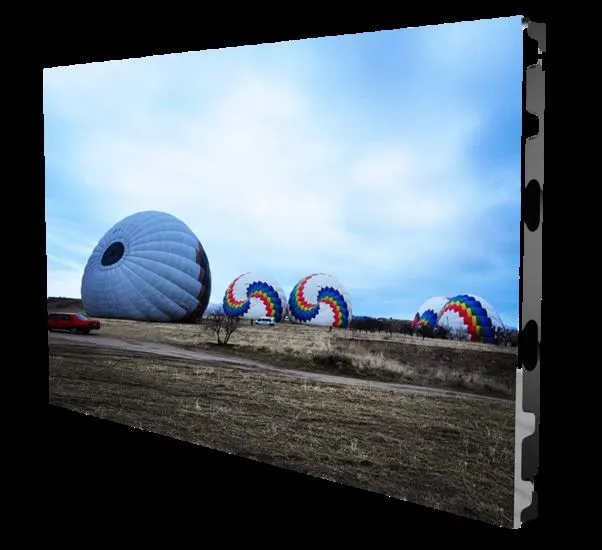
For most corporate presentations, 2K or 4K resolution is ideal. If you’re showing high-res product images or video clips in your presentation, a lower resolution will make those look pixelated. Our LSP Series Ultra Thin 600*337.5mm LED Video Wall is designed for 2K/4K/8K content, with a thin profile that fits in tight spaces like small conference rooms or classroom projectors. It’s low-cost too, so you don’t have to break the bank for high-res. You can learn more here: LSP Series Ultra Thin 600*337.5mm Small Pixel Pitch 16:9 Low Cost Front Service LED Video Wall For 2K/4K/8K LED TV.
If you need a more heavy-duty setup for high-traffic presentations (like a stage or seminar room), our LSP PRO Series takes it up a notch. It has front-serviceable magnets, so swapping modules is even faster, and the ultra-slim panel fits in tight wall mounts without taking up extra space. It’s built for consistent, high-quality display for hours on end—perfect for all-day conferences where multiple presentations are back-to-back. Check that out here: LSP PRO Series 600x337.5mm 16:9 Aspect Ration ultra slim Led Panel For Fine Pixel Pitch 4K Led Video Wall With Wall Kit and front serviceable magnets module.
Mounting and Placement: Small Details That Cause Big Problems
Even if you have the perfect display, bad mounting can ruin a presentation. I once had a client mount their LED display too high, so half the audience had to tilt their necks up for an hour—no one paid attention to the content, they were just uncomfortable. The general rule for mounting is that the center of the display should be at eye level when the person in the back row is seated. For a room with 10-foot ceilings, that usually means mounting the display 4-5 feet off the floor.
Also, make sure there’s enough space for ventilation. LED displays generate heat, and if they’re mounted in a tight nook with no air flow, they’ll overheat, leading to dead pixels or even permanent damage. Our LSP PRO Series has built-in ventilation, but you still need to leave 6-12 inches of space around the sides and back for air to circulate. If you’re using a portable display, keep it on a stable, flat surface away from heaters or direct sunlight to prevent overheating.
Syncing with Your Presentation Gear: Don’t Forget the Inputs
A display is only as good as the device connecting to it. If your presentation laptop only has HDMI ports, but your LED display has old VGA ports, you’ll need an adapter—and that’s where things can go wrong. I always recommend checking the display’s input options before you buy. Most modern HD LED displays have HDMI 2.0, DisplayPort, and USB-C ports, which work with almost all laptops, tablets, and video cameras. Our portable P2.5mm LED poster even has built-in USB playback, so you can load your presentation on a USB drive and plug it straight in without a laptop—perfect for quick pop-up presentations.
Also, check for color calibration. LED displays can have slightly different color tones, especially if they’re new. Most good suppliers offer pre-calibrated displays, but it’s worth doing a quick check before your big presentation. Show a black and white image, then a color photo, to make sure text is sharp, colors are true (no overly red or blue tones), and there are no dead pixels. I always tell clients to do this a day early, not 5 minutes before the presentation—you’ll kick yourself if you find a dead pixel right when you’re about to start.
Final Tip: Test Run Everything
Here’s the thing about presentations: nothing goes 100% as planned. The mic might cut out, the slides might load slowly, and the display might have a glitch. But if you take the time to test your LED display before the big day, you can avoid most headaches. I tell all my clients to do a full run-through: plug in your laptop, play a video, scroll through slides, check brightness in the room, and test that all modules are working. For portable displays, set it up exactly where it will go for the presentation, so you don’t realize the wheel is wobbly or the power cord is too short mid-event.
If you’re in the market for an HD LED display for your presentations, take the time to think through your space, maintenance needs, content format, and gear compatibility. You don’t need the most expensive display—you need the right display. Whether you’re a small business needing a permanent boardroom setup or a team that does pop-up conferences, we’ve got options that fit. If you have questions about which model works for your specific space, or want to learn more about any of the products I mentioned, reach out to connect and discuss your needs. Let’s make sure your next presentation is the one people remember for all the right reasons.

References
- Digital Signage Today. (2023). "Key Considerations for Choosing LED Displays in Corporate Presentation Spaces."
- LED Professional Association. (2022). "Viewing Distance and Pixel Pitch Guidelines for Indoor LED Displays."
- Audio Visual Solutions Magazine. (2024). "Front vs. Back Maintenance: Simplifying LED Display Upkeep for Events."
- Conference and Exposition International. (2023). "Portable LED Displays: Essentials for On-the-Go Presentations."
- Display Daily. (2024). "Resolution and Aspect Ratio: Aligning LED Displays with Modern Presentation Content."