

Match-day pressure exposes weak screens fast. A stadium perimeter LED display runs under floodlights, camera close-ups, and thousands of spectators - and a single washed-out frame or flickering scan line ends up broadcast worldwide. Many buyers compare only price per square meter, then discover too late that their board cannot survive afternoon sun, 90-minute matches, and season after season of transport between venues. The difference between a smart purchase and an expensive regret usually comes down to seven factors. This guide walks through each one, so you can brief suppliers with precise questions instead of vague requirements - and sign your next contract with confidence.
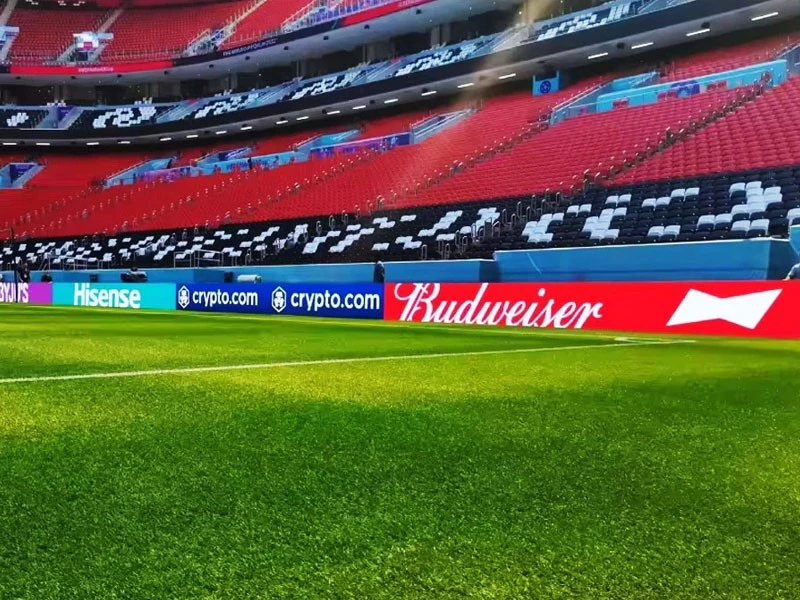
1. Brightness: Can It Beat Daylight?
Perimeter boards sit at pitch level, often facing the sun for part of the day. As a practical benchmark:
- Outdoor daytime matches: at least 5,500–6,500 nits
- Night games or covered stands: 4,500 nits is usually sufficient
- Auto-dimming: look for screens that adjust brightness automatically to protect viewers' eyes and cut power bills
A board that looks brilliant at night can disappear completely in a 3 p.m. kickoff. Always request real brightness measurements, not just headline numbers from a spec sheet.
2. High Refresh Rate: Why Cameras Care
Modern broadcasts and slow-motion replays magnify every flaw. When the refresh rate is too low, cameras capture black scan lines across the footage.
| Refresh Rate | Broadcast Result |
|---|---|
| < 1,920 Hz | Visible banding in replays |
| 1,920–3,840 Hz | Acceptable for standard broadcasts |
| ≥ 3,840 Hz | Clean slow-motion and close-ups |
For any venue that hosts televised events, treat 3,840 Hz as the working minimum. Meanwhile, confirm the refresh rate stays stable at full brightness, since some controllers degrade under load.
3. Cabinet Design: Soft Mask, Rubber Face, Real Protection
Footballs hit perimeter screens at speed - regularly and hard. Consequently, cabinet construction matters more here than in almost any other application:
- Soft silicone face masks absorb ball impact and protect both the LEDs and the players
- Front-service modules let technicians swap a damaged module in minutes, without dismantling the structure behind the pitch
- Die-cast aluminum cabinets keep total weight low, which matters for temporary installations and curved configurations
A rigid, brittle face might survive the lab test; it rarely survives a season of real matches.
4. IP Rating and Weather Resistance
Outdoor perimeter installations face rain, dust, and temperature swings. An IP65 rating on the front is the sensible baseline; the rear should also resist moisture because condensation attacks from behind as often as from the front. In coastal venues, salt-spray corrosion deserves an explicit conversation with your supplier - coating quality and fastener materials differ enormously between factories.
5. Pixel Pitch: Match It to Camera and Crowd
Closer is not automatically better. Perimeter boards are viewed from two audiences simultaneously:
- Broadcast cameras - resolve fine detail, favoring tighter pitches (P4–P6)
- Spectators across the pitch - mostly see color and motion, not pixel structure
For most professional stadiums, P6–P10 balances image quality and budget well. Additionally, calculate viewing distance from the nearest seats before locking in a pitch; a tighter pitch that nobody can resolve is money spent for nothing.
6. Power, Energy and Operating Cost
Perimeter screens run for hours during events and idle for days between them. Two technologies change the math:
- Common cathode design cuts power consumption significantly, reducing both electricity cost and heat buildup
- Average vs. peak power data - size your cabling and breakers on realistic average draw, or startup surges will trip breakers on match day
Over a five-year contract, energy often rivals the purchase price. Ask suppliers for measured consumption figures, and model your total cost of ownership before comparing quotations.
7. Warranty, Spare Parts and After-Sales Support
Finally, the factors that decide whether your screen keeps performing in year three:
- Warranty scope - modules, power supplies, labor, and who pays shipping
- Spare parts shipped with the order - spare modules, receiving cards, power supplies
- Response time - a supplier that answers within 24 hours protects your event calendar
A warranty is only as good as the service behind it. Check how the manufacturer handles remote diagnostics, firmware updates, and module replacement before you commit.
Conclusion
A stadium perimeter LED display is a long-term broadcasting partner, not a one-off purchase. Brightness, refresh rate, cabinet protection, weather resistance, pixel pitch, energy cost, and after-sales service - checking these seven factors takes one afternoon and prevents years of frustration.