

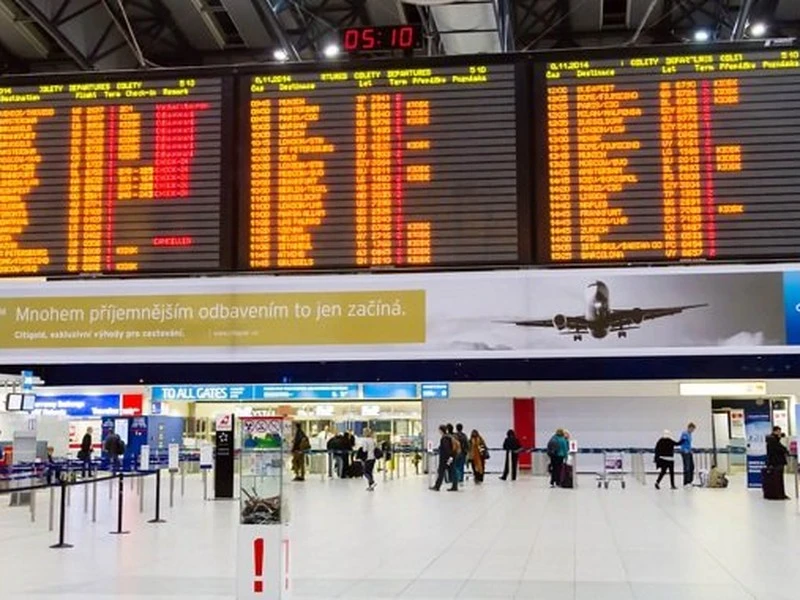
A passenger information LED display works in one of the toughest environments in the display industry. Thousands of travelers glance at it while rushing to a gate, sunlight pours through terminal glass, trains vibrate the structure, and a single blank panel can strand passengers who rely on it for departure times. Specifiers therefore need more than a price list - they need a screen engineered for continuous operation, mixed lighting and constant public scrutiny. This guide breaks the decision into five checks, so you can compare suppliers on measurable facts before the contract is signed.
1. Match Brightness To The Actual Location
Brightness requirements change dramatically within one terminal. Check where each screen will actually sit:
| Location | Typical brightness | Why it matters |
|---|---|---|
| Outdoor curb-side / platform entrance | 5,500–8,000 nits | Direct sunlight and long viewing distances wash out dim panels |
| Concourse (bright indoor, daylight mixed) | 2,500–4,000 nits | Glare from glass facades demands higher headroom than office walls |
| Hallway / gate niche (controlled lighting) | 800–1,500 nits | Lower brightness saves energy and reduces visual fatigue |
Moreover, ask how the screen behaves when dimmed. A display that only looks good at full power will show uneven color on early-morning departures when the hall is quiet. Automatic brightness sensors, together with smooth low-gray performance, keep schedules readable across both rush hour and night operation.
2. Set Pixel Pitch By Reading Distance And Speed
Passengers read these screens differently from office viewers: they look while walking, sometimes from a moving escalator. As a rule, the minimum comfortable viewing distance in meters roughly equals the pixel pitch in millimeters.
| Pixel pitch | Minimum viewing distance | Typical use |
|---|---|---|
| P2.5–P4 | 2.5–4 m | Gate areas, ticket counters, close-up information strips |
| P4–P6.67 | 4–7 m | Concourse departure boards, suspendedway-finding walls |
| P8–P10 | 8–10 m | Platform ends, outdoor entrances, long-approach signage |
Consequently, finer is not automatically better. A P2.5 gate display costs far more than a P6 board in the same terminal, yet a passenger ten meters away gains nothing from the tighter pitch. Measure the nearest and furthest real reading positions first, then choose.
3. Demand Uptime Engineering For A 24/7 Public Asset
A transport hub never closes, so the display cannot rely on a nightly shutdown. Before awarding the order, verify:
- Industrial-grade power supplies and driving ICs rated for continuous operation
- Dual power input or loop-back signal cabling, so one fault does not blank the whole board
- Front-service access - suspended or wall-mounted installations rarely offer rear space, and modules that swap from the front in minutes keep maintenance off passenger hours
- 72-hour factory aging tests, which filter out early-life failures before shipment
In addition, request a spare-parts package with the original order. Waiting on international freight while a departure board shows half a schedule is the costliest downtime a station can buy.
4. Confirm Environmental Protection Where The Screen Needs It
Outdoor and semi-outdoor positions - entrance boards, platform ends, curb-side totems - face rain, dust and in some regions salt or monsoon exposure. For these, IP65-sealed cabinets with moisture-vent design are the baseline. Indoor concourse boards do not need full sealing, but humidity cleaning routines and condensation resistance still matter in tropical terminals. Match the protection level to the position instead of paying for one uniform rating across every screen in the project.
5. Plan Signal, Control And Content From Day One
Departure information is dynamic data: flight numbers, platform changes, delay alerts. Therefore the display must integrate with the station's scheduling system, not merely play a playlist. Confirm that the controller supports IP stream input, API or database feeds from the operator's scheduling software, and multi-zone layouts that separate ads from live information. Equally important, plan cabling routes and processor placement during the design phase - retrofitting signal paths inside a live terminal is expensive and disruptive.
Quick Buyer's Checklist
- Brightness matched to each location, with verified low-gray performance
- Pixel pitch set by measured reading distances, not by catalog habit
- Continuous-duty power and signal redundancy in writing
- Front-service design plus a shipped spare-parts package
- IP rating aligned to each mounting position
- Scheduling-system integration confirmed with the IT contractor
Conclusion
A passenger information display is public infrastructure co-verning a decade of travel, not a one-time purchase. Screens that have measured brightness, correct pitch, downtime protection and clean integration quietly earn their cost every operating day. To review a room plan or confirm specification for your hub project, send the screen positions, sizes and content sources to sales@szlitestar.com - the Litestar LED engineering team will return a tailored proposal and quotation for your airport or station displays.