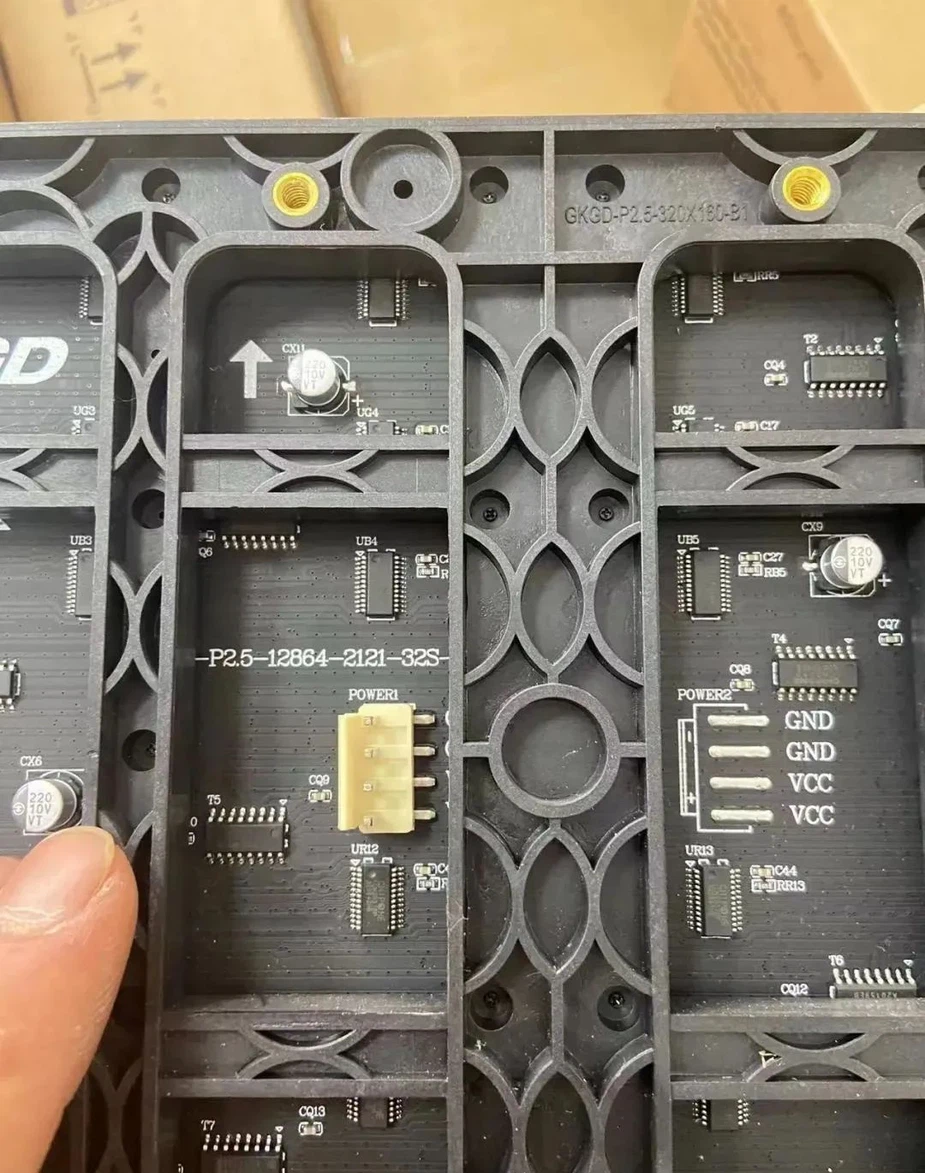
In a certain display area, the proportion of the number of lines lit at the same time to the number of lines in the whole area is called the scanning mode; Indoor single and double color is generally 1/16 scan, indoor full color is generally 1/8 scan, outdoor single and double color is generally 1/4 scan, outdoor full color is generally static scan.
At present, there are two driving methods of LED display on the market: static scanning and dynamic scanning, static scanning is divided into static real pixels and static virtual, dynamic scanning is also divided into dynamic real image and dynamic virtual; Drive devices generally use domestic HC595, Taiwan MBI5026, Japan Toshiba TB62726, generally have 1/2 scan, 1/4 scan, 1/8 scan, 1/16 scan.
In the LED unit board, the scanning mode is 1/16, 1/8, 1/4, 1/2, static. What if we differentiate? One of the easiest ways is to count the number of leds in the cell board and the number of 74HC595.
Calculation method: The number of leds divided by the number of 74HC595 and then divided by 8 = a fraction of the scan
Real pixels and virtual are corresponding: simply put, the real pixel screen means that each of the three kinds of red, green and blue light tubes that constitute the display screen ultimately only participates in the imaging use of a pixel to obtain sufficient brightness.
Virtual pixels are the use of software algorithms to control each color of the light tube and eventually participate in the imaging of multiple adjacent pixels, so that the use of fewer lamps to achieve greater resolution, can improve the display resolution by four times.
Look at the number of ics in a single module, the static driver ic controls 16 points, if the single module is 32*16 points, there are only 8 ics, then 32*16/16/8=4, that is, 1/4 scan.